
DTEN

Repair, Service, and Parts

DTEN repair, service, and parts

Acme Revival is an independent repair network that operates separately from the manufacturers whose devices we service. Our independence enables a repair model that exists beyond manufacturer-controlled strategies, while preserving the ability to work with manufacturers where appropriate.

Shenzhen, Guangdong, China
Manuf. Location
≈ US $15M
Annual Revenue (est)
Video Collaboration
End Use Segment

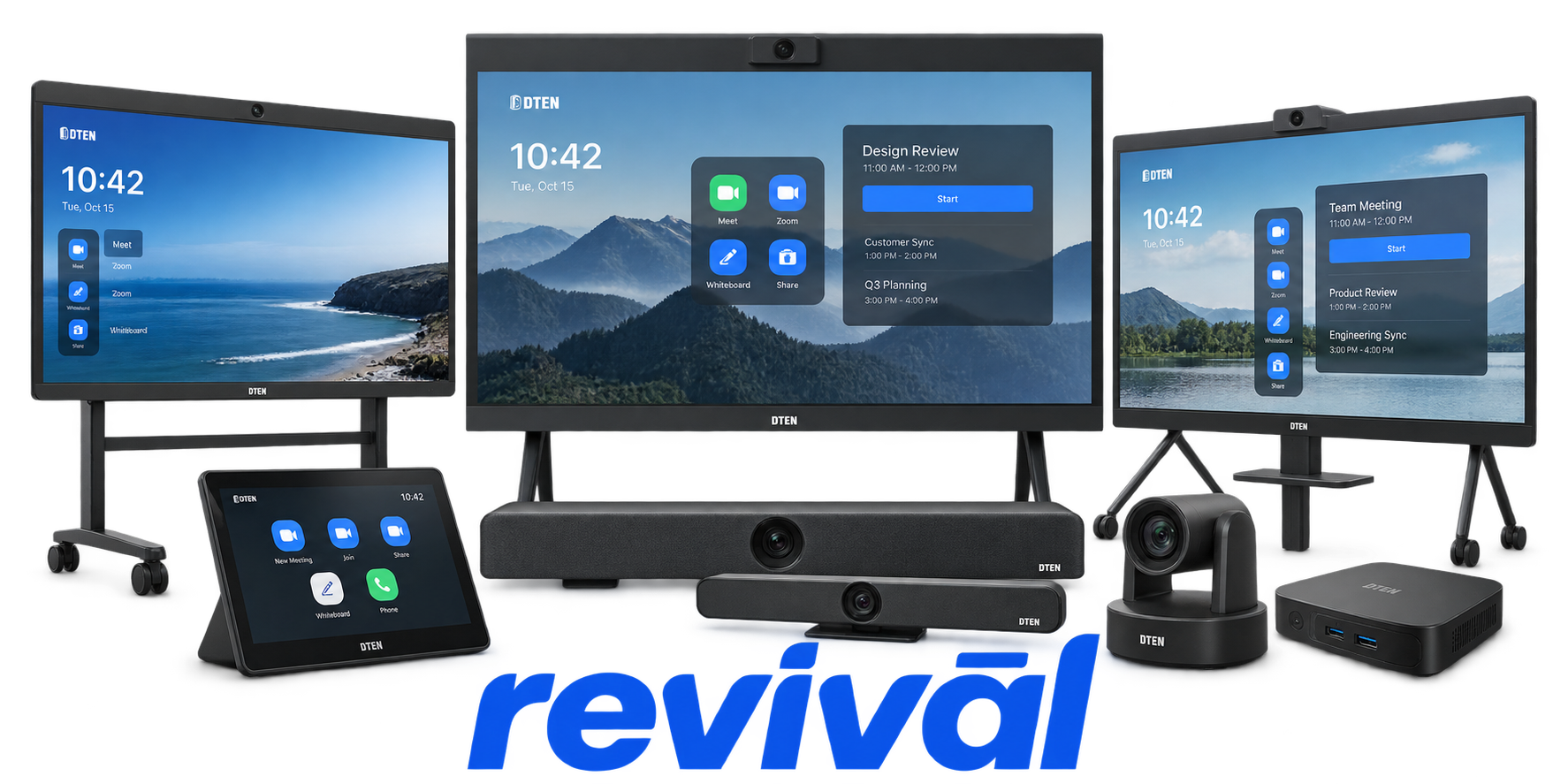
DTEN is a professional audiovisual and unified-communications hardware manufacturer founded in 2015 and headquartered in San Jose, California. The company develops integrated, all-in-one video conferencing and collaboration systems combining large-format capacitive touch displays, 4K cameras, microphone arrays, speakers, embedded computing, whiteboarding, and meeting-room software into streamlined appliances. DTEN became particularly known through its close relationship with Zoom and its D5/D7 product families, later expanding into systems certified for both Zoom Rooms and Microsoft Teams Rooms. Its modern portfolio ranges from compact 27-inch collaboration terminals and video bars to 55- and 75-inch D7X room systems, dual-display configurations, touch controllers, cameras, and dedicated digital-whiteboarding displays. DTEN differentiates its products around plug-and-play deployment, integrated audiovisual hardware, touch collaboration, AI-assisted camera/audio functionality, and a single-vendor approach to outfitting hybrid meeting spaces. DTEN

2 Most Seen Failures:

Touchscreen Unresponsive / Touch Failure

DTEN D7, D7X, and Mate devices can experience loss of touch response, failed touchback, or screens that stop responding to user input. Mate firmware documentation specifically identifies loss of touch functionality, while D7/D7X releases document touch-related faults and recovery issues.


Camera Not Detected

The integrated camera or media bar may disappear from Zoom Rooms, Windows, or BYOD applications even though the rest of the system remains operational. Reseating the media bar, reconnecting USB-C, rebooting, or power-cycling is commonly required to restore camera enumeration.

Microphone Array Failure / No Microphone

The DTEN microphone array may stop being detected, produce no audio, intermittently go silent, or disappear from conferencing software. D7 documentation repeatedly references microphone detection problems, Teams microphone failures, and recovery by reseating the media bar or restarting the system.

Network / Ethernet / Wi-Fi Connectivity Failure

D7 systems can intermittently drop Ethernet or Wi-Fi connectivity, appear offline, disconnect from meetings, or suffer latency and frozen conferencing sessions. DTEN has documented both individual connection failures and cases where groups of devices unexpectedly went offline.

Black Screen / Display Not Waking

DTEN displays and Mate controllers may show a black screen, fail to wake from sleep, or remain blank despite the system otherwise being powered. D7X documentation also identifies failures where the display does not automatically wake during scheduled office hours.

Boot / Startup Failure

D7-series systems can fail to reach the normal Zoom Rooms interface, become stuck during startup, or require a hard reboot or power cycle to recover. Some D7X versions have also booted into the Windows account-selection interface instead of the intended conferencing environment.

Media Bar / USB Peripheral Detection Failure

The removable camera/microphone media bar and connected peripherals can lose USB enumeration, causing multiple integrated devices to disappear simultaneously. DTEN frequently recommends physically reseating the media bar or fully power-cycling the system when the hardware is no longer detected.

DTEN Mate Pairing / Connection Failure

DTEN Mate controllers can lose their connection or pairing with D7X or DTEN Bar systems, leaving the touch console unable to control or initiate meetings. Firmware releases document intermittent post-upgrade disconnections that may require resetting and re-establishing the pairing.

Audio Distortion / Noise / Echo

D7-series hardware can exhibit robotic microphone audio, excessive echo, microphone noise, or degraded conference audio. DTEN troubleshooting specifically addresses robotic sound and echo, while D7X release documentation has identified microphone-noise problems in conferencing applications.

1 Acme Revival offers repair, service, and part rebuild opportunities for most DTEN devices.

Connect with a technician.

  1. 1 Repairs are performed on a best-effort basis. Acme Revival utilizes a network of sophisticated technicians and engineers with diverse service offerings; despite this, factors that influence the repair outcome may ultimately prove unsuccessful. Acme Revival makes no claim that it can, guarantee a repair before your device is sent in for diagnostic evaluation; even then, repair and diagnostic work are not mutually exclusive. Despite well-intentioned quoting, repairs may still prove unsuccessful.
  2. 2 Per information known, researched and collected by Acme Revival and its systems at time of page publishing (September 25, 2026).
  3. *Information regarding this manufacturer/brand/organization is estimated with information collected and known to Acme Revival. This information is intended to provide insights into the spotlight entity, however may not be accurate— information is strictly of estimate nature only.
  4. **The model list shown here may not be an all-inclusive list of the EcoFlow product range. Model list has been derived per information known, researched and collected by Acme Revival and its systems for the US market.

