
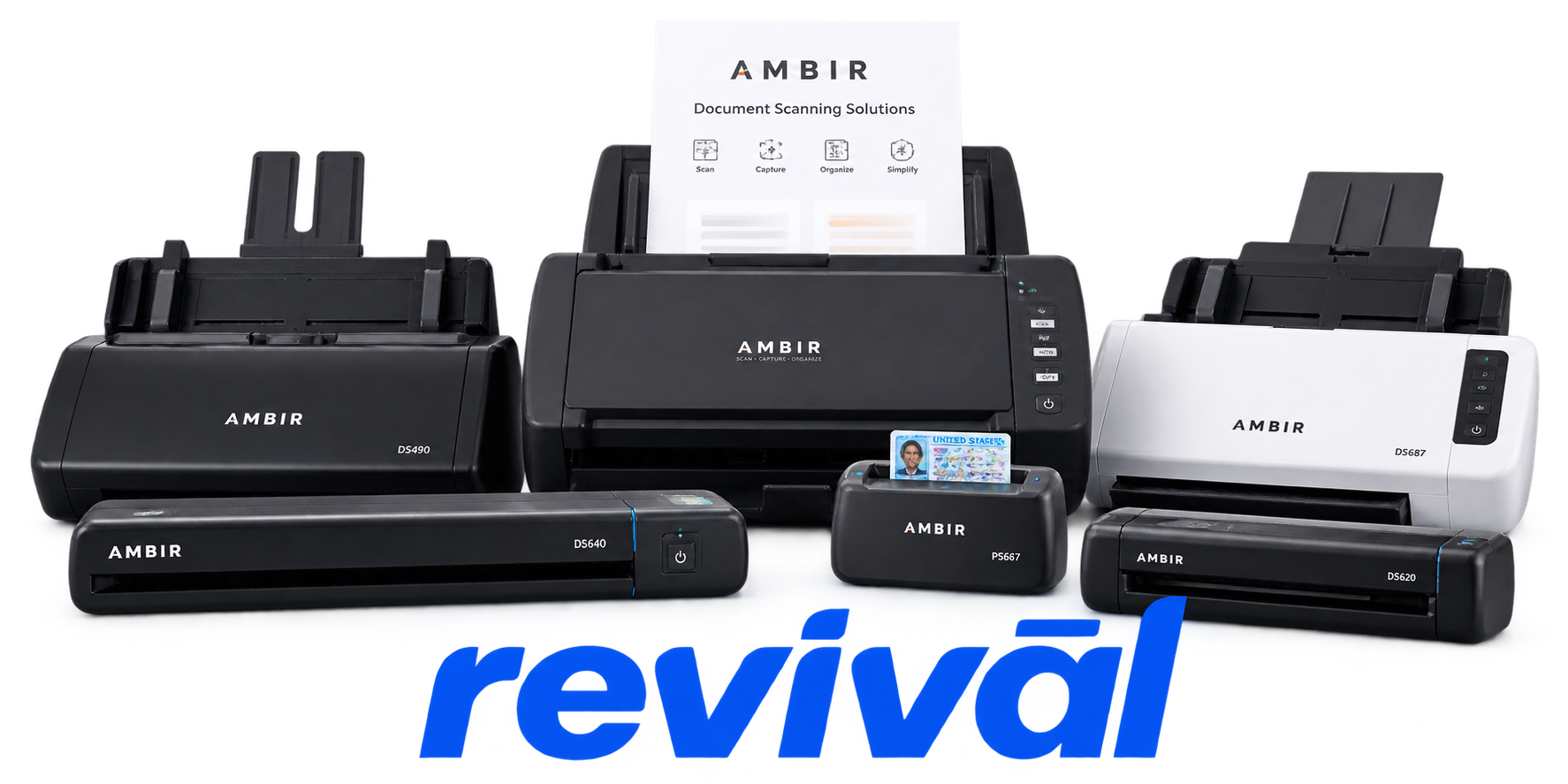
AMBIR

Repair, Service, and Parts

AMBIR repair, service, and parts

Acme Revival is an independent repair network that operates separately from the manufacturers whose devices we service. Our independence enables a repair model that exists beyond manufacturer-controlled strategies, while preserving the ability to work with manufacturers where appropriate.

Shenzhen, Guangdong, China
Manuf. Location
≈ US $13M
Annual Revenue (est)
Document capture
End Use Segment

AMBIR Technology is a U.S.-based digital-imaging and document-capture hardware manufacturer founded in 2001. It is best known for compact ID, insurance-card, document, business-card, photo and high-speed ADF scanners, particularly products designed for front-desk and workflow applications in healthcare. Its broader portfolio includes barcode scanners, electronic signature pads, document cameras, thermal label printers and AmbirScan capture software. AMBIR focuses heavily on integrating its hardware with EHR/EMR, financial, government and business systems, and has developed a particularly strong presence in healthcare registration and patient-document workflows. The company also operates the DocketPORT and PictureStudio brands and offers OEM/private-label imaging solutions.

2 Most Seen Failures:

Paper Jams / Documents Stuck in Feeder

AMBIR ADF and document scanners commonly develop paper-jam problems as feed rollers, separation rollers, and feed pads become contaminated or worn. AMBIR specifically identifies recurring jams and pages sticking together as signs these components need replacement.


Worn Feed Rollers / Failure to Pick Up Paper

Aging or glazed pick/feed rollers can cause documents to hesitate, slip, skew, or fail to enter the scanner. AMBIR provides dedicated replacement procedures for its friction, pick, separation, and feed rollers, indicating these are normal wear points in high-use scanners.

Multiple Sheets Feeding at Once

Worn separation rollers or feed pads can allow two or more sheets to enter the ADF together instead of separating correctly. AMBIR associates pages sticking together with feed-pad and roller wear requiring replacement.

Black or White Lines / Streaks in Scans

Dust, debris, contamination, or deterioration around the scanner glass and imaging path commonly produces persistent vertical black, gray, or white streaks. AMBIR lists black streaks as a primary indication that the scanner requires cleaning and recalibration.

Blurry, Hazy, or Poor-Quality Scans

Scanner calibration drift or contamination of the optical path can result in fuzzy images, gray haze, incorrect colors, or partially cut-off scans. AMBIR recommends recalibration and cleaning whenever scan quality deteriorates.

Scanner Not Detected / Intermittent USB Connection

AMBIR USB-powered scanners can fail to enumerate, intermittently disconnect, or appear completely unresponsive when the USB connection, cable, connector, or available USB power becomes unreliable. AMBIR troubleshooting documentation specifically directs users to check and reseat USB connections when scanners disappear from Device Manager or lose power.

No Power / Insufficient USB Power

A failed or marginal USB power path can leave an AMBIR scanner completely dead or generate power-related errors, particularly on USB-powered sheetfed models. AMBIR documents cases where additional USB power or a different powered port is required when the scanner will not power up.

Auto-Crop / Document Detection Failure

Contaminated optics or calibration drift can cause the scanner to incorrectly detect page edges, crop portions of a document, or stop automatically sizing scans. AMBIR identifies failed auto-crop or auto-size operation as a common indication that cleaning and recalibration are needed.

ADF Cover / Paper-Presence Sensor Errors

Document scanners such as the AMBIR nScan series can stop scanning when the feeder-cover or paper-path sensing system reports an open cover or unresolved feed condition. Mechanical wear, misalignment, debris, or a defective sensor or actuator can make these errors persist even after the cover or paper path is physically cleared.

1 Acme Revival offers repair, service, and part rebuild opportunities for most AMBIR devices.

Connect with a technician.

  1. 1 Repairs are performed on a best-effort basis. Acme Revival utilizes a network of sophisticated technicians and engineers with diverse service offerings; despite this, factors that influence the repair outcome may ultimately prove unsuccessful. Acme Revival makes no claim that it can, guarantee a repair before your device is sent in for diagnostic evaluation; even then, repair and diagnostic work are not mutually exclusive. Despite well-intentioned quoting, repairs may still prove unsuccessful.
  2. 2 Per information known, researched and collected by Acme Revival and its systems at time of page publishing (September 15, 2026).
  3. *Information regarding this manufacturer/brand/organization is estimated with information collected and known to Acme Revival. This information is intended to provide insights into the spotlight entity, however may not be accurate— information is strictly of estimate nature only.
  4. **The model list shown here may not be an all-inclusive list of the EcoFlow product range. Model list has been derived per information known, researched and collected by Acme Revival and its systems for the US market.

